You searched for a paper animator. Five tools sit at the top of the results right now, and four of them want money before you get one clean file. PaperAnimator.com needs an account and paid tiers for watermark free exports. PaperAnimation.ai stamps its watermark on every free download. PaperAnimator.art hands you two credits and then a paywall. Zlabz runs a freemium model with pricing tiers. The fifth, Paper-Animation.com, stays free but builds its whole toolset around photo cutouts, so text effects and sound design stay out of reach. This guide walks you through every rival, every price, every limit, and then shows you what Paper Effects does differently.
The difference is simple. We give you 18 tools, unlimited exports, no watermark, no account, and no uploads. Every frame renders on your own device, every style stays free, and the sound effect ships with the animation. No other tool in this list does all three at once. Read the reviews below, check the comparison table, and make up your own mind. When you are ready to work, the studio is one click away and costs nothing.
The Short Version
In a hurry? Here is the whole article in seven lines.
- Four of the five rivals charge for watermark free exports
- PaperAnimation.ai stamps a watermark on free exports, then charges $3 per month or $14.90 once to remove it
- PaperAnimator.art gives you two free credits, then you buy more
- PaperAnimator.com requires an account and paid tiers for clean exports
- Zlabz runs freemium pricing with tiers on its plans page
- Paper-Animation.com is free but photo cutout only, with no sound effects and no GIF export
- Paper Effects gives you 18 tools, unlimited exports, no watermark, no account, and zero uploads, free forever
How We Compared the Tools
Every competitor claim in this guide comes from a live check of each homepage, pricing page and FAQ in October 2026. We logged prices, export formats, resolution caps, account requirements and upload policies, then kept the exact numbers we found. No link here is paid, no affiliate code runs in the background, and every rival link is marked nofollow, so there is no incentive to favor anyone. Prices move. Treat the numbers as a snapshot, and verify them on the linked pricing pages before you buy anything. Or skip the purchase entirely, because the tool you are reading about costs nothing at all.
One more note on fairness. We run Paper Effects, so you should expect us to argue for our own tool. We do. We also list every strength each rival has, every limit we lack, and every case where we would tell you to use the other tool. Scroll to the section called Where Each Rival Still Wins for the honest list. A comparison hiding the other side is marketing, not a review, and you deserve a review.
What a Paper Animator Does
Paper animation is a stop motion inspired style. It makes photos, graphics and text look printed, torn, textured and moved by hand. A flat image gets a torn edge, a paper grain, a drop shadow, and a small looping movement. The result reads as a physical collage sitting on a desk instead of a digital sticker. TikTok, Reels and Shorts feeds filled with the look through 2025 and 2026, and audiences now parse it instantly.
The tools split into three families. Photo cutout animators, like PaperAnimator.com and PaperAnimator.art, take your photo, remove the background, and animate the subject with fold out motion. Text effect studios, like Paper Effects, build match cuts, newspaper highlights, chat bubbles and typography from words you type. Generalist editors, like Zlabz, cover many effects in one app. Paper-Animation.com sits between the first and third family, strong on cutouts and lighter on text depth.
Your choice depends on your content. Commentary channels and meme pages live on text effects. Product marketers and thumbnail makers live on photo cutouts. Multi format teams need both lanes. This guide tells you which tool covers which lane, what each one costs, and where the limits sit.
Why Paper Animation Took Over the Feed
Short form platforms run on pattern interrupts. A flat image gets swiped past. A torn paper edge with a wobble stops the thumb. The style borrows the grammar of old stop motion and school scrapbooks, so viewers read it as handmade, and handmade reads as honest. Retention graphs reward the pause, and the pause rewards whoever ships the effect fastest.
The newspaper version adds a second hook. A dense printed page with one highlighted keyword works like a headline, and the audience already knows how to read a headline. We break the psychology down in our retention hooks guide. The technique itself has older roots. Film editors used match cuts for a century, and our complete match cut guide covers the history from Kubrick to the For You page. Know the history and you art direct the effect instead of copying it.
The 2026 Market, Mapped
We checked all five rival sites in October 2026 and logged their pricing, their limits and their feature lists. The technique stays the same across the market. The business models differ wildly, and the business model is where you feel the pain. Here is the map before the deep reviews.
- PaperAnimator.com: photo cutouts plus text effects, account required, paid tiers for clean exports
- PaperAnimation.ai: four styles, watermark on the free plan, $3 per month or $14.90 lifetime
- Zlabz: 52 effects in one editor, freemium pricing tiers
- Paper-Animation.com: free photo cutouts, no sound effects, no GIF export
- PaperAnimator.art: two free credits, then a paywall, 10MB upload cap
- Paper Effects: 18 tools, free unlimited, no watermark, no account, local rendering
The History of the Paper Animation Trend
The look has a lineage. Stop motion animators cut paper silhouettes by hand for over a century, and Lotte Reiniger built full features from silhouette animation in the 1920s. Music videos revived cutout collage in the 1990s and 2000s, and motion designers rebuilt the look in After Effects with roughen edges, texture maps and virtual cameras. The style never disappeared. It waited for tools to catch up.
The modern wave started when background removal got good. One click segmentation turned any photo into a cutout subject, and cutout subjects plus torn edges equaled paper animation at scale. Tools like PaperAnimator.com rode the wave with fold out animations, and the style spread through TikTok showcases in 2024 and 2025. By 2026 the market had five serious rivals, each with a different angle on the same look.
The text side followed a separate path. Film editors used match cuts for a century, commentary YouTubers compressed the technique into newspaper caption reveals, and the format hardened into a grammar. Our complete match cut guide tells the full story from Kubrick to the feed. The two paths met in the current market, and every tool now mixes cutouts, captions and typography to some degree.
Where the trend goes next shows in the rival roadmaps. PaperAnimation.ai plans batch processing and custom paper uploads. Paper-Animation.com ships scene composers and video to paper tools. Zlabz expands its effect count. Paper Effects expands the text cluster with new studio tools, and the feature showcase updates as they land. The style survives because it reads handmade, and handmade never dates as fast as a filter.
PaperAnimator.com Review
PaperAnimator.com is the biggest name in the space. The homepage claims 412k users signed up, and the feature list runs wide: a paper cut out effect, a paper fold out animation, magazine letters, a text match cut, background removal, green screen export and transparent PNG export. The drag and drop editor with pan and zoom feels polished, and the creator showcases on the homepage prove real people ship real work with it. As a first impression, it lands well.
The costs sit behind a sign up and a pricing page. You create an account, upload your image or type your keyword, and the app renders on their servers. The homepage pushes you toward app.paperanimator.com, and the pricing page lists tiers for clean exports. Watermark free output is the paid promise. For occasional use, the account step and the tier list add friction to every session, and the friction repeats every time you return.
The upload model matters too. Your images travel to their infrastructure before you see a frame. For a personal meme, nothing changes. For an unreleased product shot or a client keyword, the upload is a real consideration. Their terms of service, refund policy and cookie policy pages spell out the data flow, and reading them before uploading client work is worth ten minutes.
Where Paper Effects differs: no account, no upload, no tiers. You open The Studio, work on your own device, and export unlimited clean files in the same minute. The text match cut renders in your browser and the keyword never leaves it.
- Strengths: polished editor, background removal, green screen, wide feature list
- Costs: account required, paid tiers for clean exports, server rendering
- Limits: uploads leave your device, watermark on free output
- Our difference: free unlimited with no account and no uploads
PaperAnimation.ai Review
PaperAnimation.ai targets creators directly. The homepage claims 99,000 creators joined and lists four styles: paper folds, newspaper highlights, magazine letters and press coverage. The newspaper style animates your keyword across ten plus unique frames with different typefaces and justified columns, which is a nice touch. A community gallery shows off user work, and the whole pitch sits on TikTok hooks and CapCut workflows.
The pricing is explicit and public. The free plan exports unlimited files, and every one of them carries a watermark in the lower area. Removing it costs $3 per month on the Creator plan, or $14.90 once on the Founder's Lifetime plan, capped at the first 1,000 buyers with numbered founder slots. Their FAQ confirms exports run 720 by 1280 only, and all sales are final with no refunds on any plan.
The limits go beyond price. Text match cut, the effect the whole market searches for, sits on their roadmap as coming soon rather than in the product. Exports lock to 720p vertical, so 16:9 YouTube work and square feed posts stay out of reach. Projects save to their cloud. Free exports must keep the watermark visible per their commercial use rules, so even personal posts carry the brand mark.
Where Paper Effects differs: no watermark at any price because no price exists. Exports cover 9:16, 1:1 and 16:9 in every style. The text match cut is not a roadmap item here, it ships today at the text match cut studio, and our match cut sound design guide covers the audio half the free plan leaves out.
- Strengths: four solid styles, community gallery, clear public pricing
- Costs: $3 per month or $14.90 lifetime to remove the watermark
- Limits: 720 by 1280 only, no refunds, no text match cut yet
- Our difference: 0 dollars, three aspect ratios, match cut shipped
Zlabz Review
Zlabz plays the breadth game. The editor claims 52 effects: match cuts, paper cutouts, magazine letters, text morphs, word orbits, comments, chatrooms, screenlines, loopcases, popbadges, glassify, echo, spotlight, newspaper and book modes, and more. Unique additions like logo match cut, object match cut, face match cut and a YouTube word finder give it real depth in specific niches. The site also runs a trust center with GDPR, UK GDPR, CCPA and LGPD pages, which few rivals in this list offer.
The business model is freemium with pricing tiers on its plans page. The homepage promises no install, no watermark and works everywhere, and the editor delivers a wide toolset in the browser. The pricing page carries the tiers, so full access sits behind a paywall like every other freemium SaaS. Their support and ideas pages show an active operation with a Telegram community for updates.
Breadth costs focus. Fifty two effects means the paper cluster gets a fraction of the attention a specialist gives it. If your core need is one perfect match cut per upload, a generalist adds decision fatigue, not output. The paper effects in Paper Effects run deeper on one job: jitter, grain, fold light and re rolled paragraphs, all tuned for the paper look and nothing else.
Where Paper Effects differs: we do one thing and go deeper. 18 tools, all in the paper style, all free with no tiers. Our feature showcase lists every one, and each tool owns a dedicated studio page with its own guide.
- Strengths: 52 effects, logo and object match cuts, strong compliance pages
- Costs: freemium tiers on the pricing page
- Limits: generalist focus, paper depth spread thin across modes
- Our difference: specialist depth, zero tiers, zero price
Paper-Animation.com Review
Paper-Animation.com is the honest one. Free online, no sign up, no watermark, and processing runs locally in your browser with WebAssembly and the Canvas API. Five motion styles: paper boil, stop motion, float, bounce and fold out. Ratios cover 9:16, 4:5, 1:1 and 16:9, and exports reach 720p or 1080p as a PNG frame, solid video or alpha WebM. The background remover processes on device, and the templates, scene composer, video to paper and sticker exporter tools add real range.
The gaps sit in the export set and the audio half. There is no GIF export, so meme pages and quick embeds lose their favorite format. There are no sound effects, so every export lands silent and you source the shutter click elsewhere. Video tops at 1080p. The toolset centers on photo cutouts, and the text effects stay lighter than a dedicated text studio. For cutout work alone, it is a genuinely good free option.
We respect the model, and we built Paper Effects to close those gaps while keeping the same promise. Our exports include the GIF, the WAV sound effect and the crumpled paper background in one download. You get 18 tools instead of a cutout suite, and the same no account, no upload, no watermark privacy stance.
- Strengths: genuinely free, local processing, no watermark, 1080p exports
- Costs: none
- Limits: no sound effects, no GIF export, cutout first focus
- Our difference: same privacy stance, plus audio, plus GIF, plus 18 tools
PaperAnimator.art Review
PaperAnimator.art is an AI cutout studio. You drop a PNG, JPG or WEBP up to 10MB, the AI removes the background, traces the subject and applies organic torn edges, then the unfold animation opens the sheet into shape. Exports cover 1080p MP4, looping GIF and PNG, with transparent PNG and green screen modes. The use cases page targets social media marketing, brand storytelling, product launches and weekly content creation.
The pricing wall stands close to the door. Registration grants two free credits, and the FAQ confirms the free start stops there. The pricing page sells credits beyond the first two, and an account comes before the first export. Every project needs an upload, so the data flow runs through their servers by design, and the upload cap rules out large source files.
Where Paper Effects differs: no credits, no registration, no upload cap, no wait. Your first export takes minutes, not account setups, and the count never runs out. Open the studio, type or upload, and render. The gap between two credits and unlimited is the whole argument.
- Strengths: AI torn edges, unfold animation, 1080p exports
- Costs: two free credits, then paid credits
- Limits: sign up wall, 10MB upload cap, server processing
- Our difference: no credits, no sign up, unlimited exports
The Pricing Wall, Side by Side
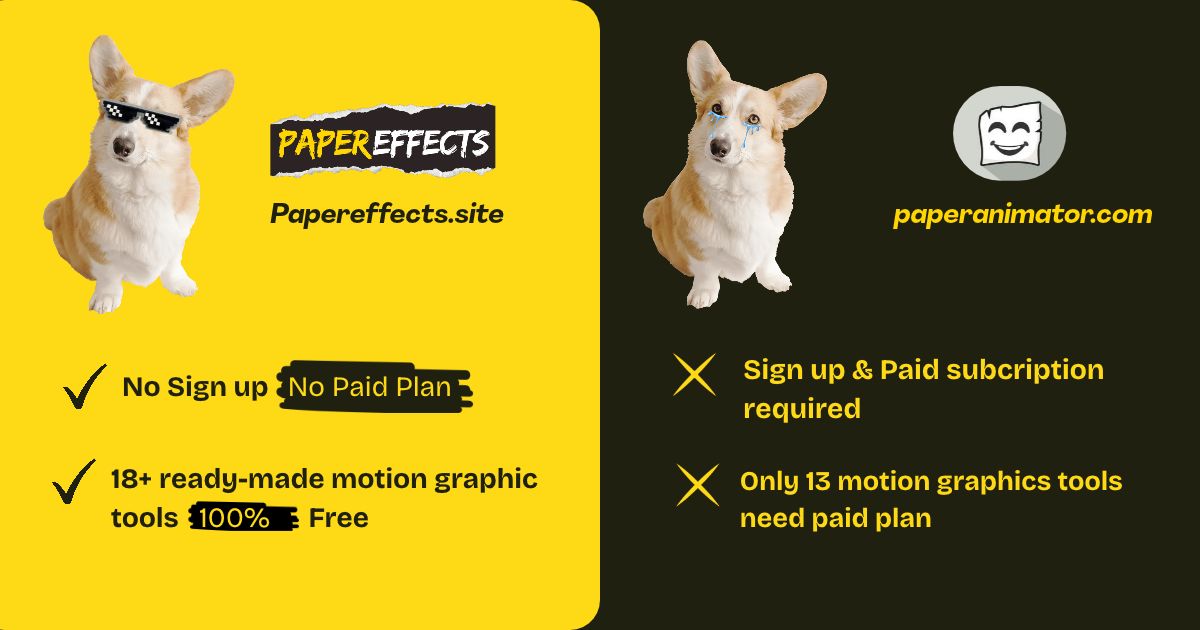
Put the five rivals on one page and the pattern shows up fast. Four of five put a price between you and a clean file. One stays free and leaves gaps in audio and formats. None of them match the Paper Effects feature list at the Paper Effects price, because the price is zero and the list keeps growing.
Here is the same comparison we render on our homepage. Verify any number on the linked pricing pages, because prices move and we list what we found in October 2026.
- PaperAnimator.com: account plus paid tiers for clean exports
- PaperAnimation.ai: watermark free at $3 per month, or $14.90 lifetime
- Zlabz: freemium, tiers on the pricing page
- Paper-Animation.com: free, no sound effects, no GIF export
- PaperAnimator.art: two free credits, then paid
- Paper Effects: free unlimited, no watermark, no account, 18 tools
Why We Give Everything Away Free
The free model is not a trick, it is an architecture choice. Paper Effects runs entirely in your browser. There is no render farm to pay for, no storage bill for your projects, no credit ledger to maintain, and no payment processor to please. The costs which force rivals to charge simply do not exist here, so the price stays zero.
The no account rule does the same work. Accounts mean databases, password resets, support tickets and privacy policies. No accounts mean you open a tab and work. Your email never enters our system because there is no system to enter it into. The about page explains who builds the tool and why, in public, bugs included.
Free unlimited also changes how you work. A tool with credits makes you hesitate before every render. A free tool lets you try six keywords, four paper styles and three ratios in one sitting, then keep the two exports worth posting. Iteration speed is the real feature, and pricing walls kill iteration. Our step by step tutorial shows a full export in under five minutes, and the tool never asks for a card on the way.
And the promise is forever, not a launch discount. No lifetime plan will sunset, because there is no plan at all. The tool exists, the browser renders, and both stay free. If a future feature ever costs money, it will sit beside the free core, never on top of it.
18 Tools Against Their 4
Rivals ship four or five styles. Paper Effects ships 18 tools, and every one follows the same rules: free, no watermark, no account, local rendering. Here is the full list with a line on each, and every name links straight to its own studio page.
- Text Match Cut: the flagship. A newspaper page snaps a highlighted keyword into place. Export GIF plus WAV.
- Comment Match Cut: turn a real comment into the cut. Built for reaction and reply content.
- Keyword Search Cut: a search bar types your keyword, then the cut lands on the beat.
- Flip Board: airport departure board letters flip and clack to your word.
- AI Chat: a chat window types itself from prompt to answer.
- Morphing Text: one word melts into the next with paper grain.
- Chat Bubble: messaging bubbles pop in sequence for dialogue edits.
- Web Search: a fake search results page builds itself around your keyword.
- Cipher Decode: scrambled letters decode into your word, one click per character.
- Pow Boom: comic book impact words with paper texture and shake.
- Magazine Letters: ransom note typography from randomized magazine scraps.
- Typeflow: kinetic typing with paper grain and rhythm control.
- News Article: a full article page writes itself on screen, headline to body.
- Phone Notification: lock screen banners slide in with your text.
- Date Counter: countdown numbers flip like a scoreboard for launch content.
- Flight Route: a world map draws your route with a moving plane marker.
- Paper Flight: a paper plane carries your text across the screen.
- Text Trail: letters scatter into a moving trail behind motion.
Four styles cover one idea. Eighteen tools cover a content calendar. The commentary channel gets match cuts and chat bubbles. The news recap page gets the news article and phone notification tools. The travel editor gets flight route and paper flight. The marketer gets keyword search cut and pow boom for product bumps. One studio covers the lot, and the price stays zero.
Behind the Scenes: How Paper Effects Renders Locally
How does a browser render a paper animation with no server? The answer decides your speed, privacy and reliability, and it is worth ten paragraphs. Here is the pipeline inside the studio, layer by layer.
The frame layer uses the HTML canvas. Procedural code draws the paper plate, the paragraph, the highlight and the grain, then re rolls the grain per frame so the sheet shimmers like real film. Nothing is a video file. Every frame is drawn at export resolution, so quality never drops below what the preview shows you.
The sound layer uses WebAudio. Shutter clicks and flash pops synthesize in the browser and encode to WAV at export. The timing math ties the sound to the animation speed you picked, so the snap lands on the cut frame without manual nudging in an editor. The sound design guide covers what the synth options do and when each one fits.
The export layer encodes frames into GIF through a canvas encoder and writes the file straight to your disk. No upload, no queue, no webhook, no storage bucket. The file appears in your downloads folder the same second the progress bar finishes, and the gif export guide explains what shapes file size.
The architecture has costs and we name them honestly. Rendering leans on your device, so a five year old laptop renders slower than a new machine. The canvas encoder produces larger files than a server side video encoder, which is why we ship GIF and why editors re encode when they need MP4. AI features like photo background removal do not exist here, because local models run heavier than most laptops enjoy. For text effects, the tradeoffs favor local on every axis you feel: speed to first frame, privacy, reliability and price.
The same architecture is why the tool works offline once loaded, why there is no rate limit, and why no usage data exists to sell. The pipeline ends at your disk. What happens after is your business, and the business model never needs your data to pay for itself.
Match Cut Depth They Do Not Match
PaperAnimation.ai lists text match cut as coming soon. Paper-Animation.com keeps a lighter version of the effect. PaperAnimator.com ships one inside its account wall. The match cut is the effect the whole market searches for, and it deserves more than a single page treatment. Paper Effects builds a cluster around it.
The depth shows in three ways. First, variants: the text match cut, the comment match cut and the keyword search cut cover three different hook formats, so one style never gets stale on your channel. Second, theory: our match cut vs jump cut guide explains when each cut wins, and the paper caption styles guide compares newspaper, magazine and book vibes with examples. Third, sound: the match cut sound design guide covers shutter clicks, flash pops and beat sync with recommended timings.
No rival pairs a free tool with a free editorial cluster at this depth. The tool makes the cut. The cluster makes you better at using it.
Your Files Never Leave Your Device
Four of the five rivals process on their servers. You upload an image or a keyword, their GPU renders, and the file travels back. PaperAnimator.art caps uploads at 10MB. PaperAnimation.ai saves projects to a cloud gallery. PaperAnimator.com requires an account before the first frame. Every step adds latency and a data trail.
Paper Effects renders with canvas and WebAudio inside your browser tab. The keyword never leaves your device, the image never leaves, and the export never touches a queue. Unreleased product names, client keywords and private jokes stay private by architecture, not by policy. The web search and news article tools generate fake search results and fake headlines on purpose, and even those stay on your machine. Paper-Animation.com is the only rival with the same local stance, and we give them credit for it in our review above.
For agencies this is the decisive line. Client work under NDA belongs on a device, not on a render farm. For everyone else, it is the difference between instant and upload, then wait. The privacy stance is also why there is no sign up wall: a tool with no servers needs no account in front of it.
Sound Design Comes Standard
A silent paper cut loses half the illusion. The shutter click borrows camera vocabulary, the flash pop sells the highlight, and beat sync makes the edit feel choreographed. We cover the full strategy, timings and genre picks in our match cut sound design guide.
Only one rival even touches audio. Zlabz has a built in sound library. Paper-Animation.com exports silent files. PaperAnimation.ai and the rest leave sound to your editor. Paper Effects exports the WAV with the GIF, in the same download, tuned to the animation speed you picked. Drop both on your timeline and the sync is already done. No extra sourcing, no extra search, no extra file management.
Export Quality, Ratio by Ratio
Formats decide where your work travels. TikTok and Reels want 9:16. Feed posts want 1:1. YouTube and presentations want 16:9. Paper Effects covers all three in every tool. PaperAnimation.ai locks exports to 720 by 1280 vertical only, per its own FAQ, so every horizontal destination needs letterboxing or cropping.
File formats split the market too. Paper Effects exports GIF, the format meme pages and comment embeds run on. Paper-Animation.com skips GIF and hands you PNG frames, WebM video and green screen instead. PaperAnimator.com covers green screen and transparent PNG. PaperAnimator.art covers MP4, GIF and PNG. Check the format you post before you pick a tool, because a missing format costs a conversion step on every single export.
Resolution ceilings matter less than you would guess for paper textures, because grain and torn edges survive compression well. Aspect ratio locks matter more, because a vertical only export forces compromises on every horizontal platform. Pick the tool whose ratios match your feed, then never think about it again.
Feature by Feature: Match Cut Controls Compared
The match cut looks identical in every marketing GIF. The controls behind it decide whether you ship one cut or fifty. We compared the control sets across all five rivals and our own studio, control by control, because this is where daily work happens or stalls.
Keyword input comes first. Paper Effects takes any phrase up to two words and renders it in all caps with automatic line breaking. PaperAnimator.com takes longer phrases inside its account wall and breaks lines manually. PaperAnimation.ai handles single keywords across its newspaper frames and stretches longer phrases across columns. Zlabz takes phrases with manual positioning in its drag and drop editor. Paper-Animation.com treats text as a cutout layer rather than a match cut subject, so line breaking stays manual. For the classic one keyword hook, every tool manages. For volume work, the difference is between typing once and adjusting handles fifty times.
Paper style choice splits the field. Paper Effects offers newspaper, magazine and book vibes with procedural paragraphs, so no two exports repeat. PaperAnimation.ai offers ten plus newspaper frames with fifteen typefaces, which is a strong library for one style. PaperAnimator.com ships one polished newspaper look with adjustable shading. Zlabz ships newspaper and book modes among its 52 effects. Paper-Animation.com ships texture controls on cutouts, with no newspaper paragraph engine. If you post daily, procedural variation beats a static library, because repeat frames read as templates and audiences notice templates.
Timing controls decide the rhythm. Paper Effects exposes speed as milliseconds between 120 and 400, tuned per platform in our guides. Zlabz exposes timing in its advanced controls panel. PaperAnimator.com and PaperAnimation.ai expose animation length through presets rather than raw numbers. Paper-Animation.com controls movement intensity and speed on its motion styles. Raw millisecond control matters when you sync to a beat, because beats do not move for presets.
Sound controls show the widest gap. Paper Effects includes shutter and flash options tuned to the export speed, shipped as a WAV in the same download. Zlabz carries a sound library with upload support. The other three leave audio to your editor, which adds a sourcing step to every single export. Add the sourcing step up across a month of daily posts and the gap becomes hours.
Export controls close the loop. Paper Effects exports GIF plus WAV plus the paper background, in 9:16, 1:1 and 16:9, with no watermark. Zlabz exports multiple formats and resolutions. PaperAnimator.com covers green screen and transparent PNG behind its account. PaperAnimation.ai locks to 720 by 1280 MP4 and GIF. Paper-Animation.com covers PNG frames, WebM and 1080p video, with no GIF. Match the export list to your posting destinations before you commit to any tool, because the export list is the product.
- Keyword input: procedural line breaking here, manual handles elsewhere
- Paper style: three procedural vibes here, static libraries elsewhere
- Timing: raw milliseconds here, presets elsewhere
- Sound: WAV included here, library at Zlabz, silence elsewhere
- Export: GIF plus WAV plus background, three ratios, no watermark
Feature by Feature: Paper Textures and Typography
Paper is a texture first, and texture is where cheap tools give themselves away. A flat scan reads as a screenshot. A photographed sheet with creases, fold light and grain reads as a page on a desk. We build every background from photographed crumpled paper, re rolled per frame, so exports stay alive at any length. Here is how the market handles the same problem.
PaperAnimation.ai advertises realistic paper textures and creases across its frames, and the samples hold up in stills. The frames cycle from a fixed library, so heavy posting repeats textures. PaperAnimator.com tunes edge thickness, intensity and detail on its cutouts, with a shadow system which reads well. Paper-Animation.com exposes edge roughness from clean scissor cut to realistic tear, plus grain, which is genuine control for cutout work. Zlabz styles its paper modes with background choices and custom uploads. PaperAnimator.art applies AI torn edges with organic variation, which suits photo subjects and matters less for text.
Typography separates the text studios. Magazine letters deserve special attention, because every tool builds them differently. Ours pulls from randomized magazine scraps with paper shadows, and the magazine letters studio re rolls the whole composition on demand. Zlabz builds ransom note letters with a fresh font per render. PaperAnimation.ai and PaperAnimator.com ship their own takes. Paper-Animation.com exports transparent PNG collage titles. The ransom note look is now table stakes, and the differentiator is how many variations you generate per minute.
Highlight rendering decides match cut quality more than any other detail. A perfect rectangle highlight reads as digital and breaks the illusion. A marker stroke with imperfect edges, slight bleed and a micro jitter reads as a human hand. We tune the highlight stroke with imperfection built in, and the paper caption styles guide compares highlight treatments across newspaper, magazine and book looks. Test any tool on its highlight close up, because the close up is where the spell holds or snaps.
Background systems finish the picture. Every tool ships its own backgrounds, and the differences matter for compositing. We export the crumpled paper background alongside the animation, so you rebuild the scene in your editor when you need to. Green screen exports exist at PaperAnimator.com, PaperAnimator.art and Paper-Animation.com, and transparent PNG exists at the same three, which covers chroma key and layering workflows. Zlabz supports custom background uploads. Match the background system to your compositing habit, and you remove a step from every edit.
Server Rendering vs Local Rendering, Explained
The biggest architectural split in this market sits between server rendering and local rendering, and it drives price, privacy, speed and reliability all at once. Understanding the split explains why four rivals charge and why we do not, with no fine print required.
Server rendering means your input travels to someone else's computer. You upload an image or a keyword, their GPU farm runs the render, storage holds your project, and the finished file travels back over the network. The architecture costs money every render, which becomes credits, tiers and watermarks. It also adds latency, because upload plus queue plus render plus download beats local math every time. It adds a data trail, because your files sit on infrastructure you do not control. And it adds failure modes, because an outage on their side stops your output.
Local rendering means your device does the work. Canvas draws the frames, WebAudio renders the sound, and the export writes straight to your disk. There is no upload, no queue, no storage bill, no account to gate the pipeline. The cost profile collapses to zero marginal cost per export, which is why unlimited free holds up as a business model rather than a promotion. The privacy profile collapses to nothing leaving the device, which is why no sign up wall needs to exist. The latency profile collapses to instant, because the render happens where you already are.
The tradeoffs exist and we name them. Local rendering leans on your device, so an old phone renders slower than a new laptop. Complex AI features like background removal on photos run better on server farms with real GPUs, which is why our toolset focuses on text and graphics effects rather than photo cutout AI. If your core work is AI background removal on heavy photos, a server tool earns its keep, and we say so in our rival reviews. If your core work is match cuts, captions, chat effects and typography, local wins on every axis of your daily work.
Paper-Animation.com shares the local architecture and states it plainly in its FAQ, and we rate the honesty highly. PaperAnimation.ai, PaperAnimator.com, Zlabz and PaperAnimator.art all run server pipelines with accounts or upload flows in front of them. The architecture is the business model. Local rendering is why the price here reads zero, and it stays zero because the architecture does not change.
- Server: uploads, queues, storage bills, credits, watermarks, accounts
- Local: instant renders, zero marginal cost, files never leave the device
- Tradeoff: heavy AI photo work suits servers, text effects suit local
- Result here: unlimited free exports with no sign up wall
The Real Cost of a Watermark
A watermark looks like a small detail on a pricing page. In practice it changes what you post, where you post and how your audience reads you. We walked through the watermark rules at each rival, and the details deserve their own section.
PaperAnimation.ai states the rule directly. Free exports carry a watermark in the lower area, the watermark must remain visible, and clean exports require a paid plan. The mark sits on every free file you ship, so every post advertises the tool you used. Some audiences read a watermark as production value. Many read it as a template, and template reads cost trust on commentary channels where the voice is the product.
The crop temptation follows. Creators crop or cover watermarks to keep feeds clean, which burns pixels, breaks aspect ratios and eats time on every export. The math compounds. Thirty seconds of crop work per export, three exports per week, adds up to over an hour a year spent hiding a mark a free tool never draws. The gif export guide covers export quality in depth, and quality starts with a clean frame.
Commercial rules tighten the screws. PaperAnimation.ai restricts commercial use of watermarked exports, so client work and brand posts sit behind the paywall by policy, beyond aesthetics. PaperAnimator.art ties clean output to its credit system. PaperAnimator.com ties it to its tiers. Zlabz ties full access to its plans. The pattern holds across the market: the free tier is a demo, and the demo marks your work.
Paper Effects draws no watermark at any setting because there is no setting and no price. The export is yours, the frame is clean, and the commercial use question ends before it starts. No license page, no attribution requirement, no lower third branding. Your audience sees your work and nothing else, which is how the feed should read.
Choose by Role: Commentary Creators
Commentary channels live on rhythm. A talking head needs a visual exclamation mark every twenty to forty seconds, or retention sags while the voice keeps running. The match cut is the exclamation mark, and the tool choice matters less than the habit of punching every claim on schedule.
Paper Effects fits the role for three reasons. First, variants: the text match cut, the comment match cut and the keyword search cut cover three hook formats, so a forty minute video never repeats the same transition twice. Second, speed: unlimited free exports mean you punch every claim instead of rationing cuts to save credits. Third, sound: the WAV ships with the GIF, so the shutter lands on the beat without a sourcing hunt.
The workflow: script the video first, mark every claim worth a visual shout, then batch render the keywords in one session. Ten cuts render in fifteen minutes with no upload queue between them. Drop them on the timeline, sync the shutters, and the edit gains a spine. Our retention hooks guide covers the pacing strategy in depth.
At the rivals, the same job runs through accounts and tiers. PaperAnimator.com handles it well behind its sign up and clean export pricing. PaperAnimation.ai handles it in 720p vertical with a watermark until you pay. Zlabz handles it inside a 52 effect editor where you hunt for the paper modes. Paper-Animation.com handles the cutout lane and leaves the text lane thin. The work gets done at each, and only here does it stay free at volume.
Choose by Role: Marketers and Brands
Brand content needs three things from a paper tool: the logo and product names render clean, the output survives brand review, and the pipeline scales across campaigns without a per export invoice. Each requirement eliminates tools.
Clean rendering eliminates watermarks first. A brand post carrying a tool's mark reads as unlicensed template use, and brand reviewers flag it. PaperAnimation.ai's commercial rules push branded work to the paid plans. PaperAnimator.art's credit system prices every campaign asset. PaperAnimator.com's tiers do the same. The clean free lane holds at Paper-Animation.com and here.
Brand review also demands control. The keyword search cut renders a search bar typing the product name, which suits launch teasers. The date counter flips launch dates like a scoreboard. The news article tool writes a fake headline around the product, which suits PR style reveals. The pow boom tool handles sale announcements with comic impact. Four campaign formats, all free, all in ratios the ad platform wants.
Scale seals it. A campaign with twenty keywords renders twenty variants in one session with zero incremental cost, and A B testing keywords costs nothing but typing. At paid rivals, the same test burns credits or hits watermarks on the free lane. Marketing teams feel the difference in the first campaign week, and the invoice which never arrives makes the case to procurement on its own.
One honest limit: we do not build logo animation tools. Zlabz's logo match cut and object match cut serve brand reels with locked center frame marks, and if logo animation is the core need, the lane belongs to Zlabz today. For text led brand hooks, the free lane here covers the calendar.
Choose by Role: Educators and Students
Classrooms run on attention anchors, and paper effects are cheap attention anchors. A highlighted date, a vocabulary word, a thesis statement, each one earns a second of focus a bullet point on a slide never touches. Both PaperAnimation.ai and we target educators in our copy, so compare the classroom reality.
Budget decides first. School tools run on teacher budgets, and teacher budgets run thin. Free unlimited means a teacher renders for every lesson with no license check and no credit balance to babysit. A class of students renders their own projects, because exports cost nothing and accounts do not exist, which matters for younger students who are too young for service sign ups anyway.
Privacy decides second. Student photos and names belong on school devices, not on render servers. Local rendering keeps every project on the machine it started on, which aligns with student data rules without reading a data processing agreement. Paper-Animation.com shares the same stance for cutout work.
The toolset decides third. Educators highlight terms with the text match cut, build quiz reveals with the cipher decode tool, animate timelines with the date counter, and summarize topics with the news article tool. Four formats cover lectures, quizzes, announcements and recaps. The blog doubles as free teaching material for media classes, because the technique guides explain film history and sound design with examples.
Student projects render in minutes on school Chromebooks, since canvas rendering leans on the browser rather than the GPU. The export drops into slides, video essays or class blogs. At paid rivals, a class set of accounts sits behind either cost or watermarks, and neither lands well in a syllabus.
Choose by Role: Agencies and Freelancers
Client work changes the calculus. Non disclosure agreements cover keywords, product names and unreleased visuals. Upload based tools put every asset through someone else's infrastructure, which turns a routine render into a policy question. Four of the five rivals here run upload pipelines. The answer for NDA work writes itself.
Rate math decides the rest. An effect which once justified a day rate now renders in minutes, and clients ask for it by name. The freelancer who ships it free keeps the margin. The freelancer paying per export donates the margin to a SaaS. Unlimited free exports also mean unlimited client revisions without a meter running, and revisions are where freelance projects go to die.
The deliverable list expands with the toolset. One studio covers the match cut for hooks, the chat bubble for dialogue skits, the flip board for announcements, the flight route for travel clients, and the magazine letters for posters and thumbnails. An agency standardizes on one tool across editors instead of juggling subscriptions, and onboarding a new editor takes one link.
PaperAnimator.com is the strongest rival for agency work on photo cutouts, with background removal, green screen and transparent PNG behind its account wall, and its polish justifies its pricing for teams standardized on it. For text led deliverables under NDA, the local free pipeline here removes both the risk and the invoice. Run both if the client mix demands it. The price of the second tab is zero.
Choose by Role: Meme Pages and Posters
Meme pages post daily, iterate hourly and burn formats fast. The economics of a meme page are volume economics, and volume economics break every tool with a meter. Credits, watermarks and upload queues all tax the exact behavior which grows the page.
GIF support decides distribution. Comments, Discord servers, forums and embeds run on GIF, and a tool without GIF export adds a conversion step to every post. Paper-Animation.com skips GIF. The rest cover it, some behind paywalls. Here the GIF ships standard with the gif export guide covering quality settings.
Format freshness decides retention. A page posting the same newspaper cut daily trains the audience to scroll past it. Eighteen tools rotate the format: pow boom for punchlines, cipher decode for reveal jokes, chat bubble for fake dialogue, phone notification for text joke formats, morphing text for wordplay. The format wheel keeps the feed alive without leaving the studio.
Speed decides trends. A trend window lasts hours, and the page which renders in the window wins the wave. No account, no upload, no queue means the idea hits the studio while it is still funny. Every rival with a server pipeline adds minutes to the loop, and minutes are the trend tax.
One caution from experience: do not let the toolset outrun the joke. A funny keyword in the simplest text match cut beats a dull keyword in the flashiest effect. The tool amplifies the writing, and the writing stays the job.
Platform Rules: What Each Feed Rewards
Each platform grades paper effects differently, and tool settings should follow the grade. This section maps the big four feeds to the settings which work, from our own posting experience and the patterns in creator showcases across every rival site.
TikTok rewards the first second. The match cut lands as a hook when the shutter fires inside the first 800 milliseconds, and the keyword doubles as the title. Vertical 9:16 is non negotiable, speed between 150 and 300 milliseconds reads best on phones, and the shutter syncs to the beat drop. TikTok compresses hard, which favors paper textures, because grain survives bitrate better than gradients. Our retention hooks guide covers the opening strategy.
Instagram Reels rewards polish. Carousels and Reels carry brand aesthetics, so magazine style and book style read better than raw newspaper. 1:1 and 4:5 fit feed placements, and the highlight color matters more because viewers linger on stills. Reels loops reward match cuts placed at the end of a clip, because the paper frame matches the opening frame and the loop hides.
YouTube Shorts rewards density. Shorts run faster than TikTok in most niches, so speed drops toward 120 to 180 milliseconds, and section labels via comment match cut keep structure visible. Long form YouTube rewards 16:9 exports and chapter bumpers built with the news article tool, where each section opens with its own headline.
X and comment sections reward GIF. Small file size beats resolution, 1:1 crops travel best, and the flip board and pow boom formats read at avatar scale. Export tight, post often, and let the format wheel rotate.
- TikTok: 9:16, 150 to 300 ms, shutter on the beat, keyword as title
- Reels: 1:1 or 4:5, magazine style, loop friendly cuts at the end
- Shorts: 120 to 180 ms, section labels, dense pacing
- YouTube long form: 16:9, chapter bumpers, news article reveals
- X and forums: GIF, 1:1, small file size over resolution
A Five Minute Test Drive Script
Reading comparisons only goes so far. Run this script on any tool in this article, including ours, and the differences stop being claims. The script takes five minutes and costs nothing on a free tier, which is the point.
- Minute one: open the tool and render a two word keyword without creating an account. Note every wall you hit
- Minute two: render the same keyword in a second style. Count how many variations the tool offers before repetition
- Minute three: export. Check the file for a watermark, check the resolution, check whether sound rode along
- Minute four: render the same keyword in 9:16 and 16:9. Note which tool refuses one of them
- Minute five: try a nonsense keyword and a brand name keyword. Procedural engines handle both, fixed libraries glitch on rare words
Score each minute one point for smooth, zero for friction. A tool scoring under four wants your credit card more than your workflow. Paper Effects scores five, and the studio tab is open in another window right now if you want to verify.
The script also protects you from us. If our tool ever adds a wall, the script catches it, and the rival reviews above get rewritten the day any rival removes theirs. Comparisons age, scripts do not.
The Decision Checklist
Skip the reviews and decide with ten questions. Every yes moves you toward one tool, and the tool with the most yeses is the right one for your work. We built the checklist neutral and then ran it ourselves, and the results are in the next section.
- Does the free tier export without a watermark?
- Does the free tier allow commercial use?
- Does the tool require an account before the first export?
- Do my files stay on my device during rendering?
- Does the export include sound?
- Does the tool export GIF?
- Does the tool cover 9:16, 1:1 and 16:9?
- Does the tool vary exports procedurally, or repeat fixed frames?
- Does the tool expose raw timing control for beat sync?
- Is the price for full access zero?
Paper Effects answers yes ten times. Paper-Animation.com answers yes seven times, missing sound, GIF and the text depth question. PaperAnimation.ai answers yes twice, on ratios partially and on procedural frames. PaperAnimator.com answers yes twice, on variation and timing. Zlabz answers yes four times, missing price, watermark at tier limits and uploads. PaperAnimator.art answers yes once, on variation. Run the checklist against any future tool too. The questions outlive every comparison on this page.
Glossary of Paper Animation Terms
The market uses a shared vocabulary loosely. These definitions match how the terms are used across the five rival sites and this one, so you read every spec sheet correctly.
- Match cut: two shots joined so a visual element carries across the cut. The text version highlights one keyword on a repeated page. Full history in our match cut guide
- Graphic match: a match cut pairing similar shapes or compositions rather than movement. Kubrick's bone to spacecraft is the textbook case
- Paper boil: a small per frame wobble which makes paper look alive, borrowed from stop motion animation
- Fold out: an animation where a sheet unfolds into the subject, the signature move of photo cutout tools
- Ransom note: typography assembled from mismatched magazine letters, standard on every tool in this list
- Torn edge: an irregular paper edge, tuned from clean scissor cut to rough tear
- Green screen: an export with a flat chroma background for keying in an editor
- Alpha WebM: a transparent video format supported by some editors, exported by Paper-Animation.com
- Procedural rendering: frames generated by code at export time, so no two renders repeat
- Local rendering: all processing on your device in the browser, no uploads, the architecture behind free unlimited
The Cost Math Over One Year
Run the numbers on a year of content. PaperAnimation.ai Creator costs $3 per month, which adds up to $36 per year, and the Founder's Lifetime plan costs $14.90 once for the first 1,000 buyers. PaperAnimator.art sells credit packs after two free renders. PaperAnimator.com and Zlabz list their tiers on their pricing pages. Watermark free output costs money at four of five rivals, and the meter runs every time you ship.
The hidden cost is time. Accounts to maintain, credit balances to track, watermarks to crop around, uploads to wait for. Free unlimited removes the entire accounting layer. Your cost is zero dollars and zero minutes of overhead, and the studio stays one tab away. Time is the budget you never get back, and the free tool spends none of it.
- PaperAnimation.ai: $36 per year, or $14.90 once
- PaperAnimator.art: credit packs after two free renders
- PaperAnimator.com: paid tiers for clean exports
- Zlabz: freemium tiers on the pricing page
- Paper-Animation.com: $0, silent exports, no GIF
- Paper Effects: $0, audio included, GIF included, all ratios
Pricing Deep Dive: What Each Plan Buys
Pricing pages hide details in fine print. This section walks each rival's plan structure in full, from the numbers we verified in October 2026, and then puts our zero dollar setup beside them. Verify current numbers on each linked pricing page, because SaaS pricing moves quarterly.
PaperAnimation.ai runs two paid plans plus a free demo tier. The free tier exports unlimited watermarked files. Creator costs $3 per month and removes the watermark on exports, private projects outside the community gallery, all four styles and priority support. Founder's Lifetime costs $14.90 once for the first 1,000 buyers, adds a numbered founder badge, locks the price forever and includes every future style. All sales are final, and the FAQ confirms no refunds on any plan. Exports lock to 720 by 1280 on every plan, free or paid.
PaperAnimator.art sells credits. Registration grants two free credits, and the pricing page sells packs beyond them. Credits cover renders, so cost scales with output and every campaign asset carries a price. An account comes first, uploads cap at 10MB, and the export formats cover 1080p MP4, looping GIF and PNG with green screen and transparent modes.
PaperAnimator.com runs an account plus tiers model. The feature list on the homepage runs wide, and the pricing page carries the tiers for clean exports. Sign up is required, rendering runs on their servers, and the workflow runs through their app subdomain. Their pricing page is the source of truth for current numbers, and the numbers sit behind features which justify them for heavy photo cutout users.
Zlabz runs freemium tiers on its plans page, with 52 effects in the editor and a no watermark promise on the homepage. The tiers gate full access to the editor. Check the plans page for current numbers, because the effect count and tier list update regularly.
Paper-Animation.com charges nothing and hides nothing. No sign up, no watermark, local processing, 1080p exports. The gaps are audio and GIF, covered elsewhere in this article, and those gaps cost nothing to fill with a free sound library and a converter. It is a genuine free option, and we rate it as one in our review above.
Paper Effects publishes no pricing page because there is nothing to price. Every tool, every style, every ratio, every sound effect and every export is free, with no account in front of any of it. No lifetime plan will sunset because no plan exists. The comparison ends here for a reason: zero beats every number above, and zero never changes.
Where Each Rival Still Wins
Honest comparison means saying what rivals do well. Paper-Animation.com is genuinely free, private and 1080p, and its scene composer is a smart idea we admire. Zlabz covers 52 effects including logo, object and face match cuts, which we do not build, and its trust center sets a compliance standard. PaperAnimator.com has the widest photo cutout feature set with background removal, green screen and transparent PNG. PaperAnimation.ai runs a community gallery which builds a following and gives new creators examples to study. PaperAnimator.art ships a satisfying unfold animation with AI torn edges.
If photo cutout animation is your whole job and you do not mind accounts and uploads, two of these rivals serve you well. If text effects, match cuts and sound design are your job, and the price needs to stay zero, Paper Effects covers the lane with more tools and fewer strings. Most creators walk both lanes at different times, and only one tool in this list covers both for free.
Support, Updates and Community Compared
Support matters when a render fails at midnight before a deadline. Community matters when you need examples to study. Updates matter when a platform changes its specs. Here is the comparison, rival by rival, with the tradeoffs named.
PaperAnimation.ai runs the strongest community play: a public gallery, numbered founder slots, early access windows for subscribers and a 24 hour reply guarantee on founder support. The gallery doubles as inspiration, and the founder program builds loyalty. The tradeoff is the price and the 720p ceiling on every plan.
Zlabz runs a Telegram community, a support page, an ideas page and a what's new page, which is a healthy update cadence. PaperAnimator.com showcases creators on its homepage and links social channels, with support through its site. PaperAnimator.art links a support email and maintains a guides section. Paper-Animation.com keeps an answers center and a guides blog, which suits a free tool with no account system.
Paper Effects handles support the same way it handles everything: in public, for free. Each tool ships with a guide on its own page, the blog covers the technique cluster, and the builder shares the journey on X. There is no ticket queue because there is no account system, and the guides answer the questions a ticket queue would. If a render misbehaves, the troubleshooting section in our tutorial covers the usual suspects in 30 seconds.
The honest summary: paid rivals justify their price with support and community features. Free tools justify themselves with zero friction. Pick based on which failure mode you fear more: a render which needs a human, or a credit balance which needs a manager.
Security and Data Handling Compared
Data handling splits this market harder than features do, and the split decides who should use which tool. Client work, student data and unreleased products all change the answer, so here is the comparison with no gloss.
Server tools process your files on infrastructure you do not control. PaperAnimator.com requires an account and processes uploads. PaperAnimation.ai stores projects in cloud galleries, with private projects behind its paid tier. PaperAnimator.art uploads images up to 10MB and processes them on its backend. Zlabz documents its pipeline in a trust center covering subprocessors, data processing agreements and compliance frameworks.
Zlabz earns credit for the disclosure alone. GDPR, UK GDPR, CCPA, LGPD, COPPA and PCI badges with a trust center page is more than any rival in this list offers, and the DPA matters for agencies. Read the DPA before uploading client assets to any server tool, including the ones which look like local tools.
Local tools remove the question entirely. Paper-Animation.com processes segmentation and encoding in your browser with WebAssembly and says so in its FAQ. Paper Effects renders with canvas and WebAudio on your device, stores nothing, and needs no data processing agreement because no data changes hands. Student work, NDA keywords and unreleased assets stay on the machine, and the privacy policy is one sentence long: nothing leaves.
The tradeoff repeats from the architecture section: local tools skip AI features which need server GPUs. If your workflow is photo cutout AI on heavy images, a server tool with a clean data agreement fits the job, and Zlabz's trust center is the standard to hold rivals to. If your workflow is text effects, the local pipeline answers the security question before anyone asks it.
Workflows for TikTok, Reels and YouTube
The TikTok hook workflow: open the text match cut studio, type your keyword, pick newspaper style and 9:16, tune speed between 150 and 300 milliseconds, add the shutter sound, export the GIF and WAV, and drop them over your footage in CapCut. Sync the shutter to the beat and the hook is done in five minutes.
The Reels carousel workflow: build a loud title in magazine letters, then open the story with a flip board reveal. The YouTube workflow: render chapter bumpers in 16:9 with the news article tool and cut between sections with a comment match cut so the audience reads each section label before the footage starts.
Every workflow follows the same rules: pick the ratio first, keep keywords at one or two words, and export the audio with the video. The complete guide covers platform specifics in depth, and the gif export guide covers quality settings per platform.
How to Switch From a Paid Rival
Switching takes one session. Cancel the rival subscription first, because every month of $3 or more is a month of $0 here. Then open the studio, recreate your last export with the same keyword, and compare the output side by side. Nothing uploads, so your old assets stay yours and the new ones arrive in minutes.
Keep the exports you already paid for. They are your files. From this point every new export is free, watermarks gone, credits gone, and the 18 tool list replaces the four style menu. The about page explains the project and the person behind it, and the blog teaches the technique for free, the same way the tools work.
Common Mistakes When Picking a Tool
Creators compare tools wrong in the same five ways. Avoid them and the decision makes itself.
- Picking on style count alone. 52 effects with thin depth lose to one perfect match cut you post weekly
- Ignoring the watermark rule on free plans. Read the commercial use line before you post
- Forgetting the audio half. A silent cut lands flat, so check whether the tool exports sound
- Skipping the ratio check. A vertical only tool letterboxes your horizontal uploads
- Paying before testing the free tier end to end, including an export and a post
Frequently Asked Questions
Short answers here, full detail in the sections above.
- Is Paper Effects free, or is it a trial? Free. Every tool, style, ratio, sound effect and export is free with no watermark, no account and no export cap. There is no paid plan to upgrade into.
- Why do rivals charge while Paper Effects is free? They render on servers they pay for. We render on your device, so our costs stay near zero and the price stays zero.
- Which rivals charge for clean exports? PaperAnimation.ai charges $3 per month or $14.90 lifetime. PaperAnimator.art sells credits after two free renders. PaperAnimator.com and Zlabz run paid tiers. Paper-Animation.com is free.
- Do I need an account? No. Open the studio and work. No email, no password, no profile.
- Does Paper Effects upload my images? No. All rendering happens locally in your browser with canvas and WebAudio.
- Which formats do I get? GIF, WAV sound and the crumpled paper background, in 9:16, 1:1 and 16:9.
- Which rival has the most effects? Zlabz claims 52. Paper Effects ships 18, all in the paper style and all free.
- Does PaperAnimation.ai have a text match cut? Not yet, it sits on their roadmap as coming soon. The text match cut studio ships today.
- Is paper-animation.com a good free option? Yes for photo cutouts. It exports no sound effects and no GIF, so you cover those gaps yourself.
- Are the exports free to use commercially? Yes. Watermark free by default, no license, no attribution required.
- How fast is one export? Under five minutes including keyword, style and sound, per our tutorial.
- Where do I learn the technique itself? Start with the complete match cut guide, then the caption styles and sound design guides.