
THE CLASSIC SMILEY
Drop a sticker, get a match cut: same sticker, same spot, a new surface on every beat. Free, no signup, no watermark.
DROP YOUR STICKER HERE
or click to choose a file. Transparent PNG works best. Pasting an image works too.
Three stickers. Three match cuts. Pick one to load it into the editor above.
THE CLASSIC SMILEY
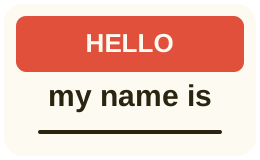
A HELLO MY NAME IS TAG

A DIE-CUT LIGHTNING BOLT
Three steps. No camera, no timeline.
A cut-out PNG of your logo, art or merch. The sticker stays pinned to the same spot in every frame.
Set speed, zoom, wiggle and shade variance, add a track. The preview updates as you go.
A video with a slap on every cut, ready for TikTok, Reels or Shorts. No watermark.
Made for the feeds where sticker edits live.
9:16
Vertical 1080×1920, the native size for the sticker slap trend.
4:5 & 1:1
Portrait and square posts which fill the grid and the feed.
16:9
Landscape 1920×1080 for intros, bumpers and product reveals.
The sticker lands on record sleeves, fridge doors, drum machines, perforated metal and street bollards, relit per surface to look stuck on, same spot every shot. No filming, no editing, no credits. Doing the same edit by hand in CapCut or Premiere takes one to two hours of filming and frame by frame trimming. Credit based AI video tools charge per try. The full comparison breaks down every method with times.
A sticker match cut is a rapid sequence where the same sticker is slapped onto a different surface every few frames while staying in the same spot on screen. The cut lands on the impact frame, so the sticker reads as one object teleporting across wall after wall.
Yes. Upload a sticker, preview, generate and download. No signup, no credits and no watermark. Rendering happens on your own device.
Yes. The videos are yours: brand content, client work, merch launches and ads are all fine. No license page and no attribution required.
A transparent PNG cut out like a real die-cut sticker, ideally with a white border. JPG and WebP also load but render as a square sticker.
Yes. Upload an audio file, choose where in the track to start, and the music is mixed under the cut sounds and faded out at the end.
MP4, or WebM in browsers which cannot record MP4, plus a GIF and a WAV stem, at 9:16, 4:5, 1:1 or 16:9.
Yes. The renderer keeps the sticker pixel exact and relights it per surface: brightness, tint and shadow follow the scene, so the sticker looks stuck on rather than pasted over. Unlike credit based AI video tools, there is no account and no credits, and the design is never redrawn.
Film the same sticker press at five to ten places with the grid on and exposure locked, split each clip on the frame the sticker touches the surface, trim each clip to two to four frames and add a hit sound on every cut. Or generate the whole sequence here and import the MP4 into CapCut.
Yes. Three ready-made stickers load straight into the editor from the examples section, and the blog covers logo reveals, merch drops and artist promo ideas.
MORE MATCH CUTS: TEXT MATCH CUT GENERATOR